Planner AI
Planner AI helps people turn an open-ended goal into a personalized weekly action plan through conversation, AI-generated scheduling, and small daily tasks designed to actually get done.
Built and launched as a live web app in 3 months
Product Designer, Product Strategy, Builder
Product strategy, UX/UI, prototyping, AI-assisted full stack build, launch, and user testing
Platform
Live web app at planner-ai.net
Built with
Figma Make, OpenAI API, Google sign-in, and Google Calendar sync
The problem
Most people do not need more advice. They need help turning advice into action.
The idea for Planner AI came from my friends. A lot of them had goals they wanted to reach, but struggled to find useful guidance. Some asked for help in Discord communities and got ignored. Others used AI tools, but the advice got buried in conversation history and was rarely revisited.
Existing planners also assume users already know how to break a goal into concrete steps. But for goals like improving fitness, training for a marathon, or getting into embedded systems, that is usually the hardest part. I built Planner AI to close that gap by helping people turn a vague goal into small daily actions they could actually follow.
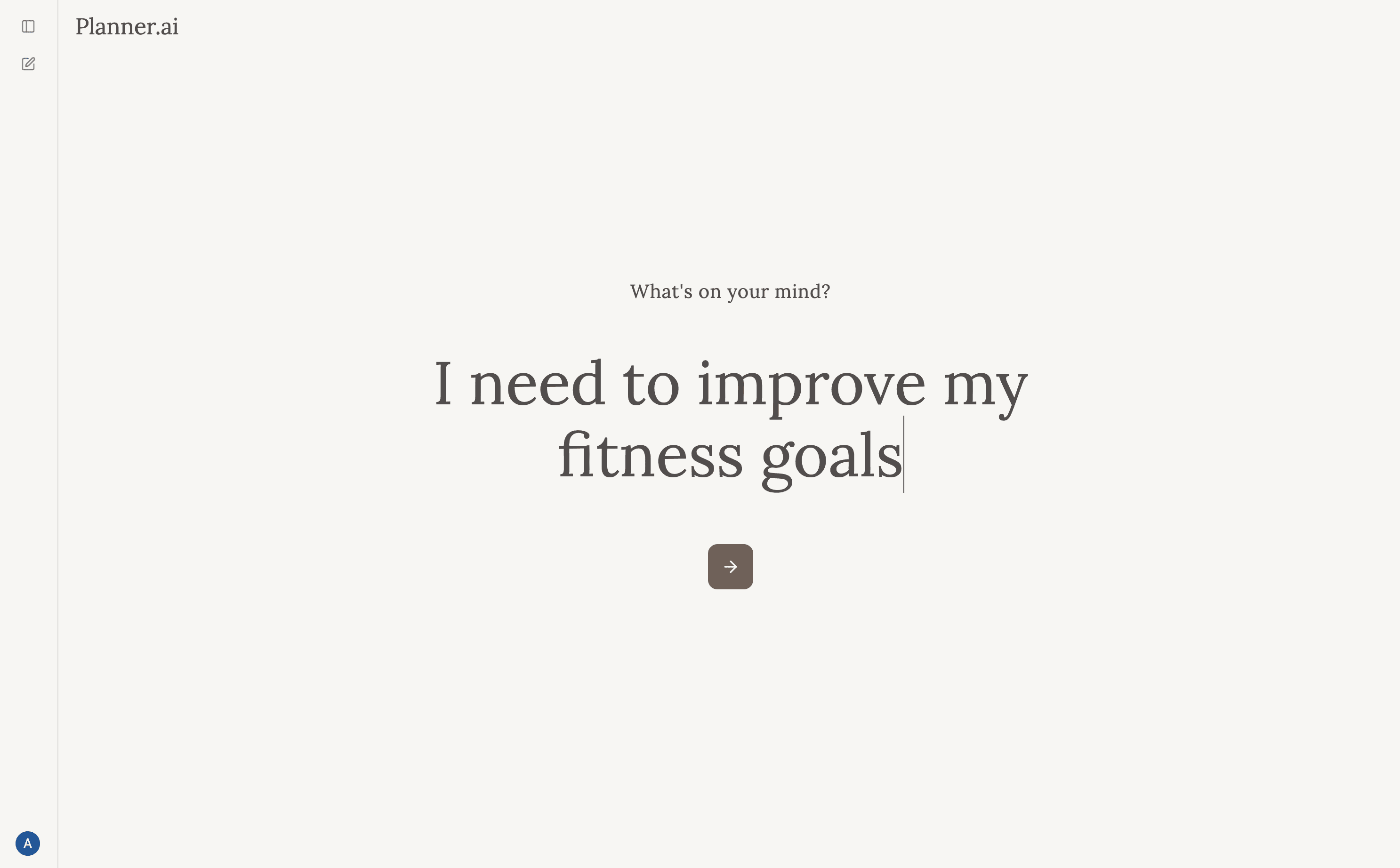
Why conversation worked better than forms
A prompt alone was not enough context.
The biggest issue in early testing was not whether the AI could generate a plan. It was whether the generated tasks felt like something the user would actually do.
The original version lacked enough context, so the output often felt generic. I solved this by making the AI coach ask a limited set of focused questions about preferences, constraints, timeline, and challenges. I intentionally capped the conversation at around five questions so the AI felt helpful rather than exhausting.
That change made the plans feel much more grounded. One user reaction that captured the shift was: “This is a lot more personalized.”
Before: Single prompt → generic plan → low trust
After: Prompt + guided coaching questions → personalized plan → higher acceptance
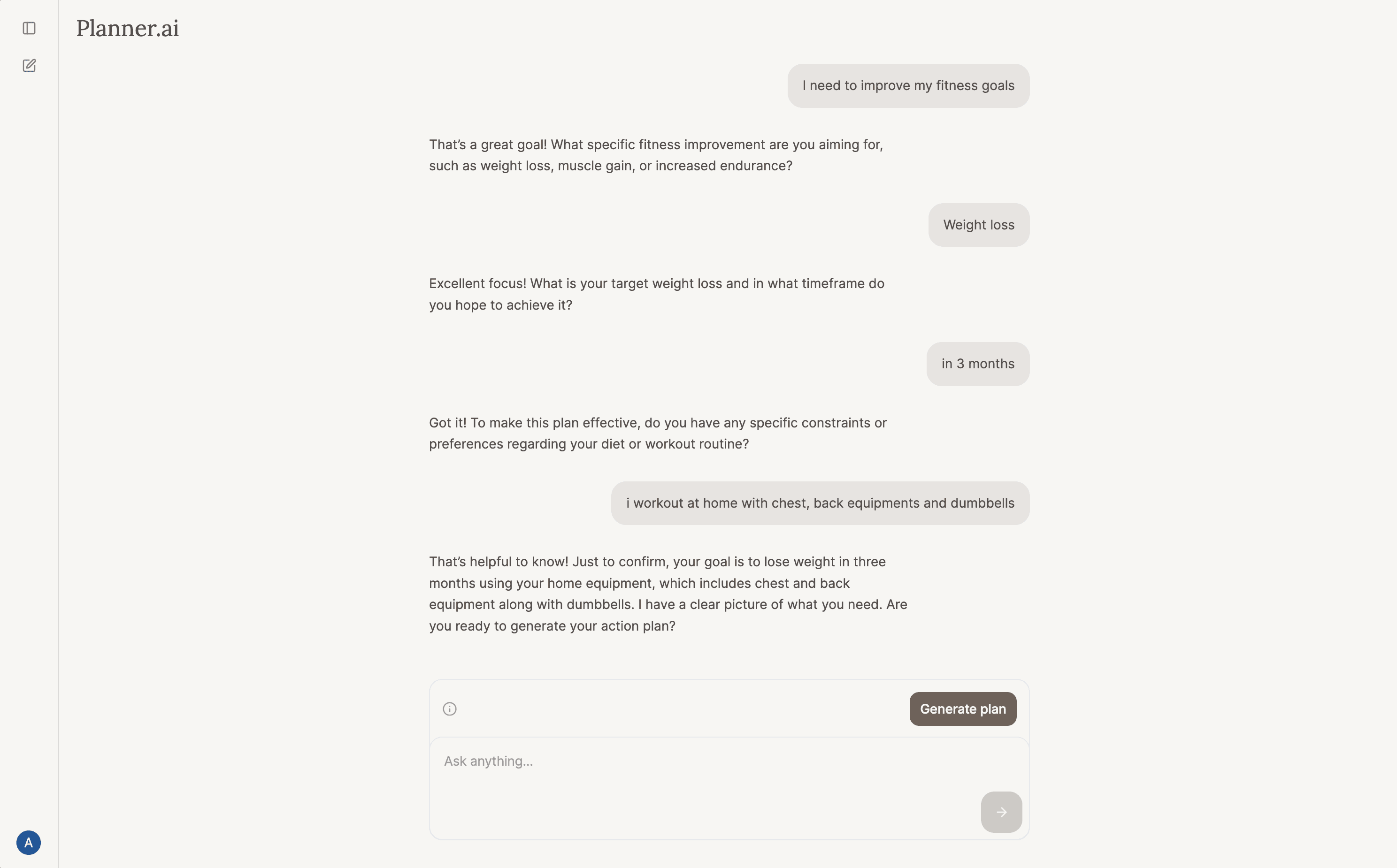
Core workflow
From vague goal to structured weekly action
Once the AI has enough context, users can generate a plan at any point in the conversation. Planner AI turns that conversation into a weekly structure, where each day contains three specific action items tied to the user’s goal.
The output is organized into both a task list and a calendar view. Users can also connect Google Calendar so AI-generated tasks appear in their schedule, receive email reminders each morning, and continue the conversation later to update or add tasks.
This made the product feel less like a chat and more like an action system: the user talks naturally, and the product turns that intent into structured follow-through.
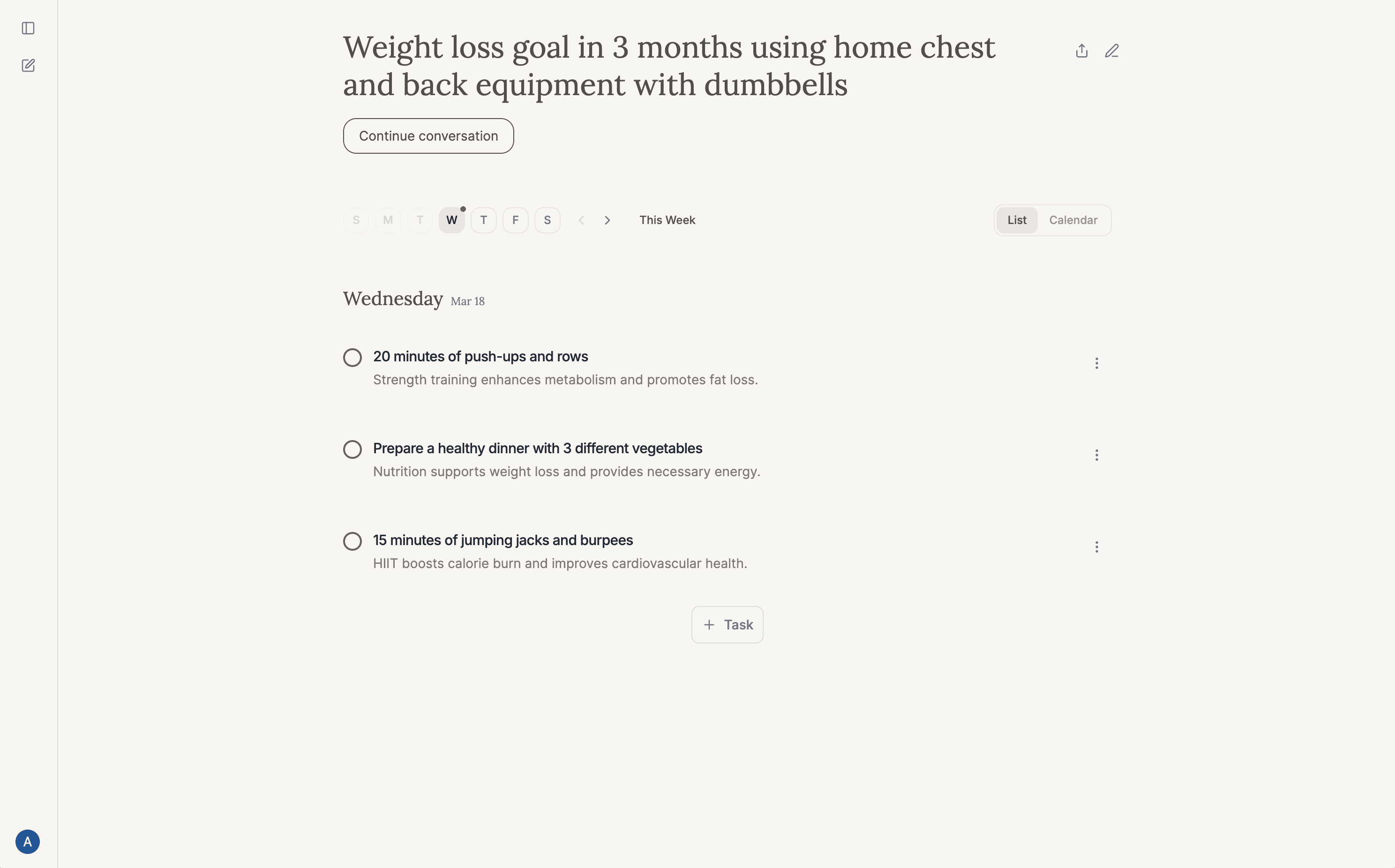
List view
Review daily actions and mark them complete
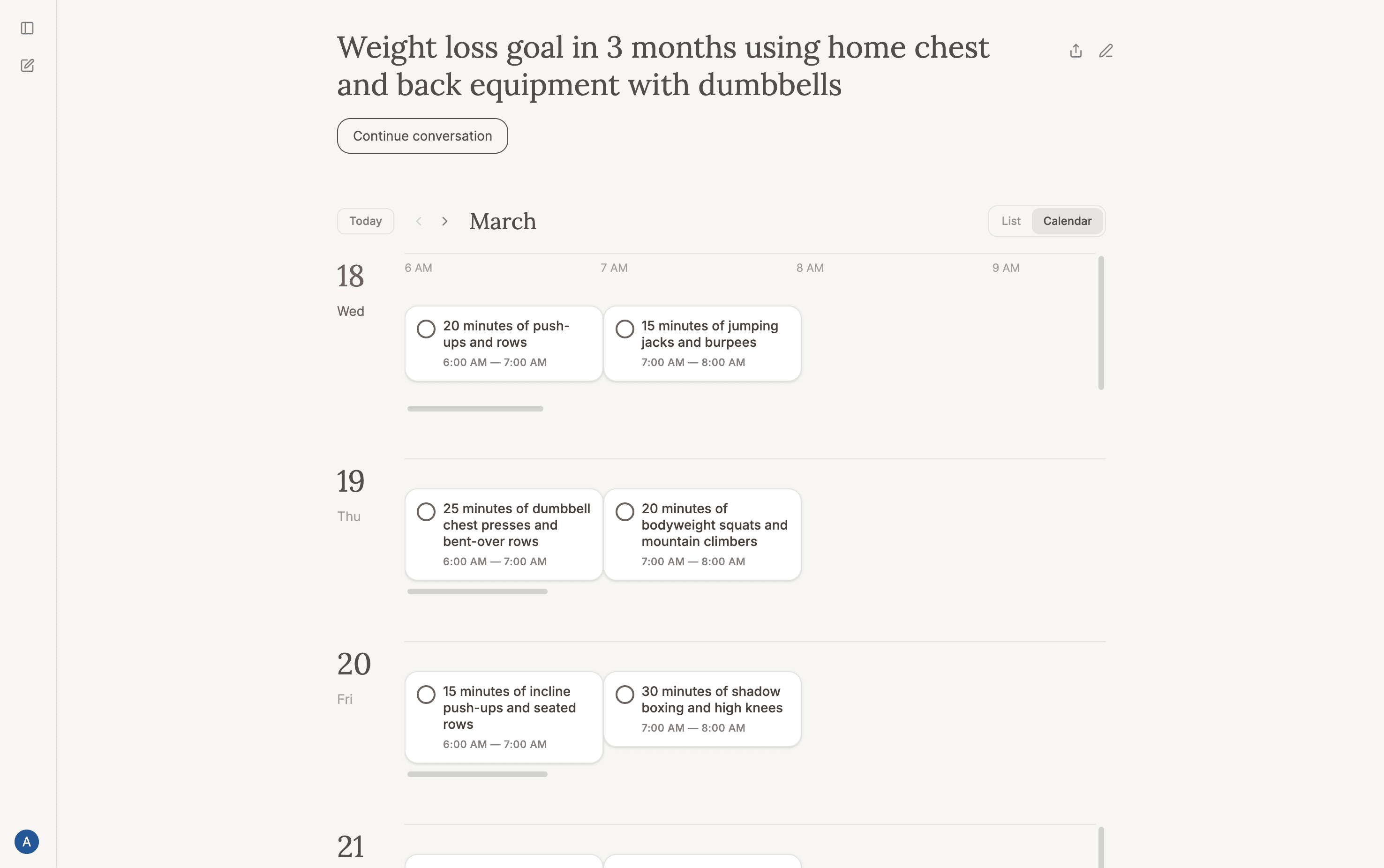
Calendar view
See the same plan mapped onto a schedule
Key design decision 1
Users preferred daily action over abstract planning.
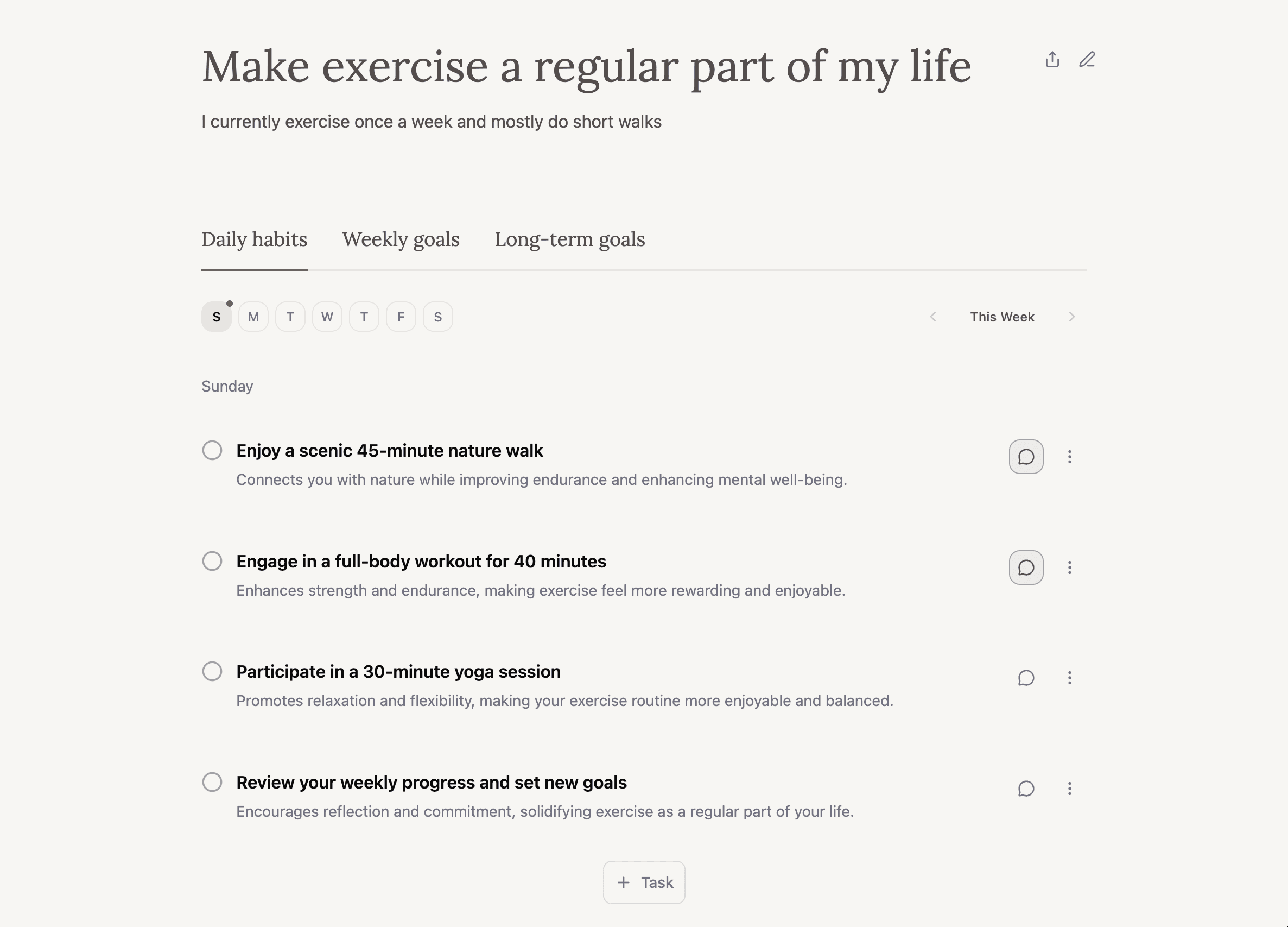
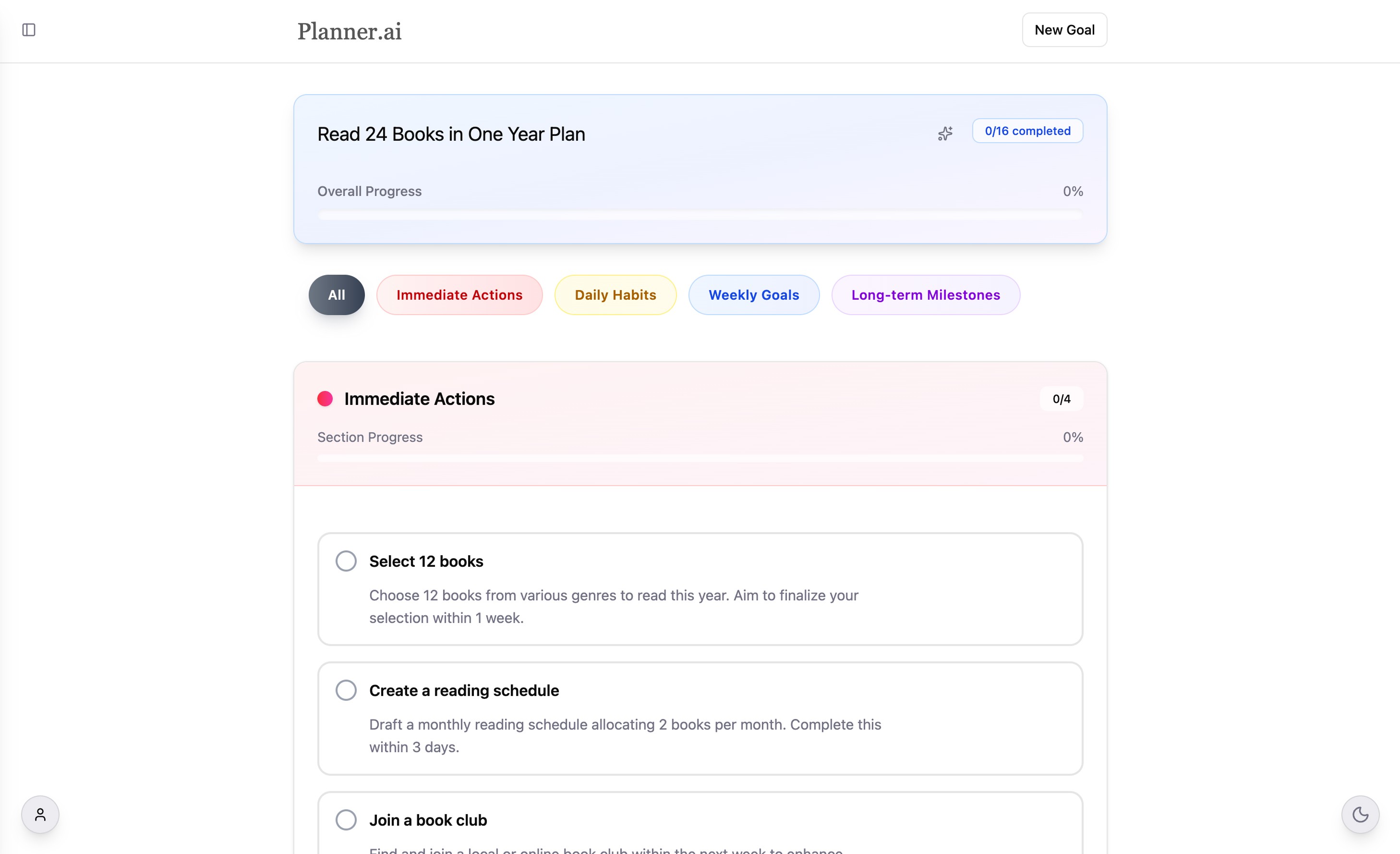
An early version of Planner AI generated daily habits, weekly goals, and long-term goals. On paper, that felt comprehensive. In testing, it added complexity without adding much value.
I compared a version that generated all three layers with a version focused only on daily action. Most users preferred the simpler version. It also made generation roughly 2x faster and reduced AI cost, since the system no longer had to generate as many tasks every time it created a plan.
I kept the output focused on daily tasks, but designed the week so each day felt slightly different. Users did not want to repeat the exact same routine every day, so I built the plan around a weekly rhythm with small variations across Monday through Sunday.
Before
After
Key design decision 2
A good plan still fails if people never come back to it.
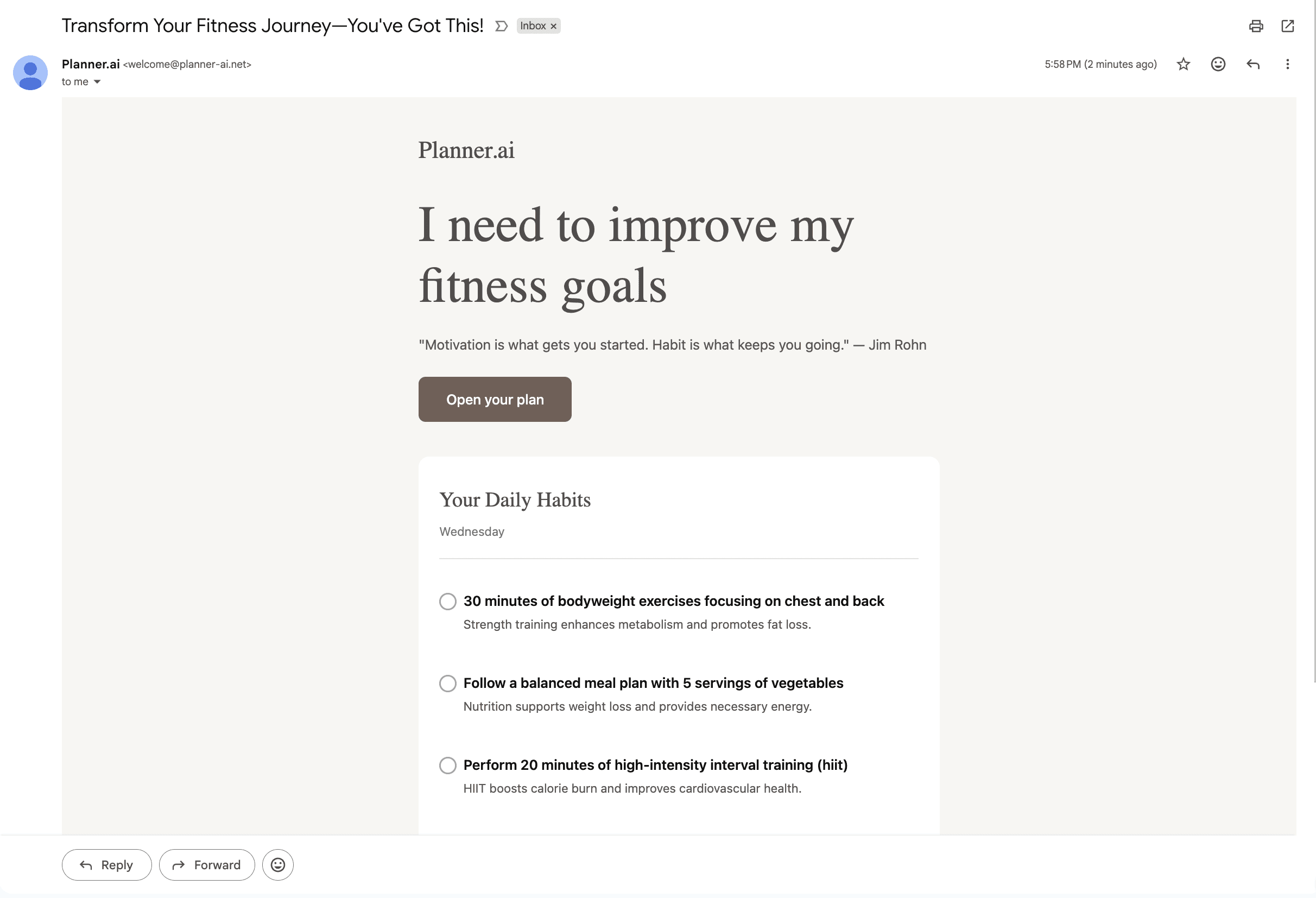
Another challenge was accountability. Users did not naturally build a habit of reopening Planner AI every day, which lowered the chance they would actually follow through.
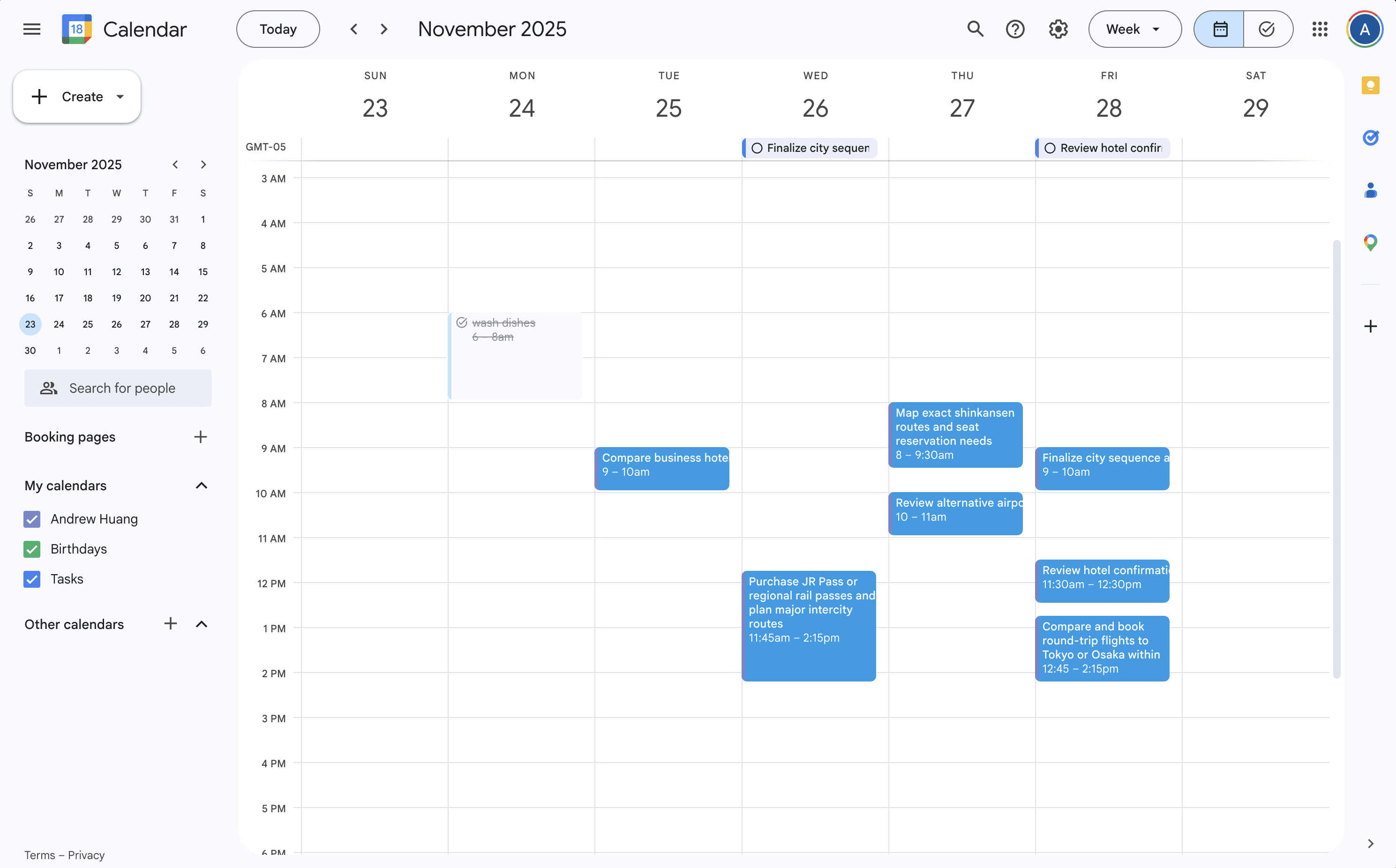
I addressed that in two ways. First, I added daily email reminders with the day’s tasks. Second, I added Google Calendar sync, so AI-generated action items could live in the tools users already check.
This shifted Planner AI from a one-time planning tool into something that actively supports execution.
Key design decision 3
Users needed a way to update the plan without starting over.
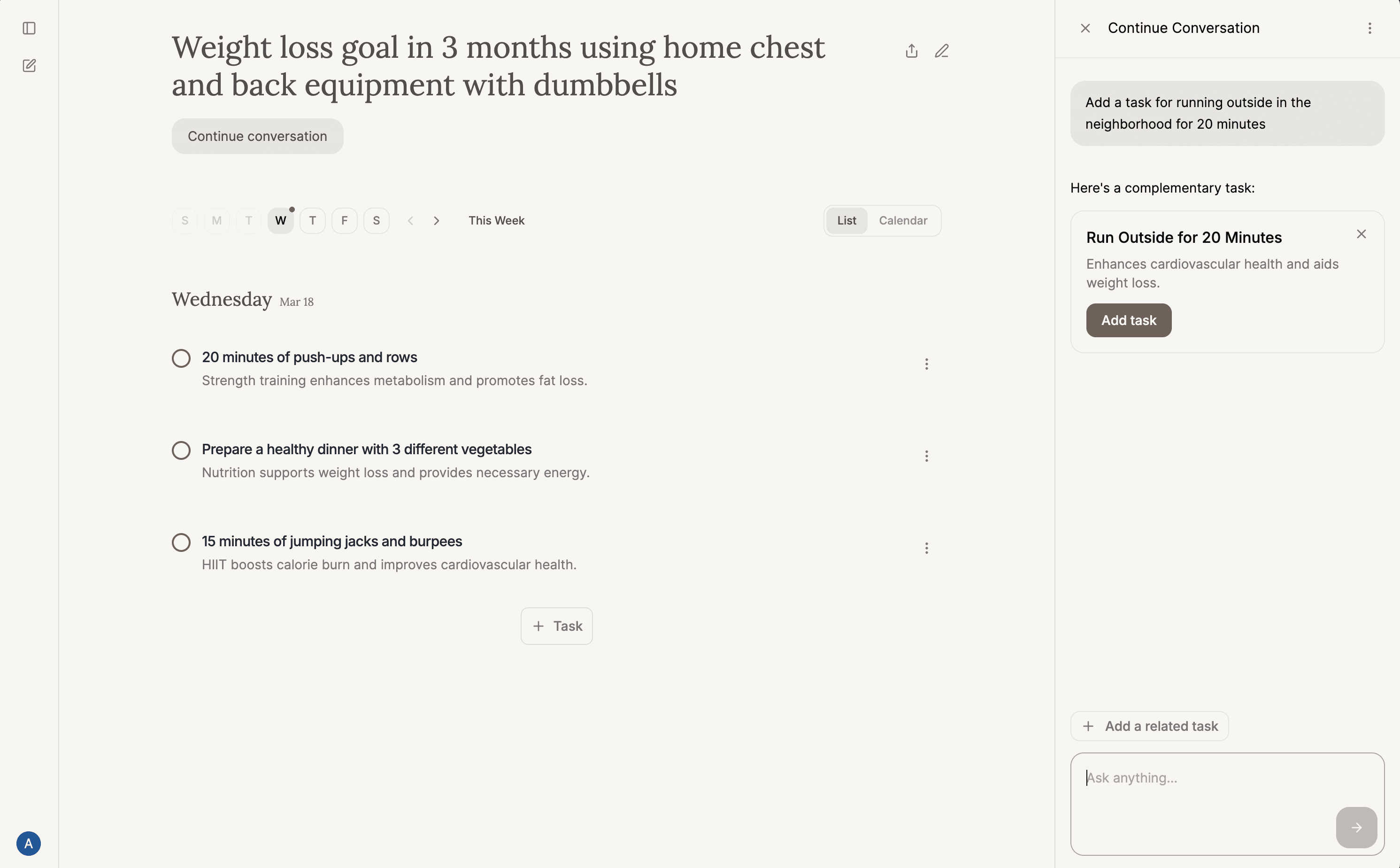
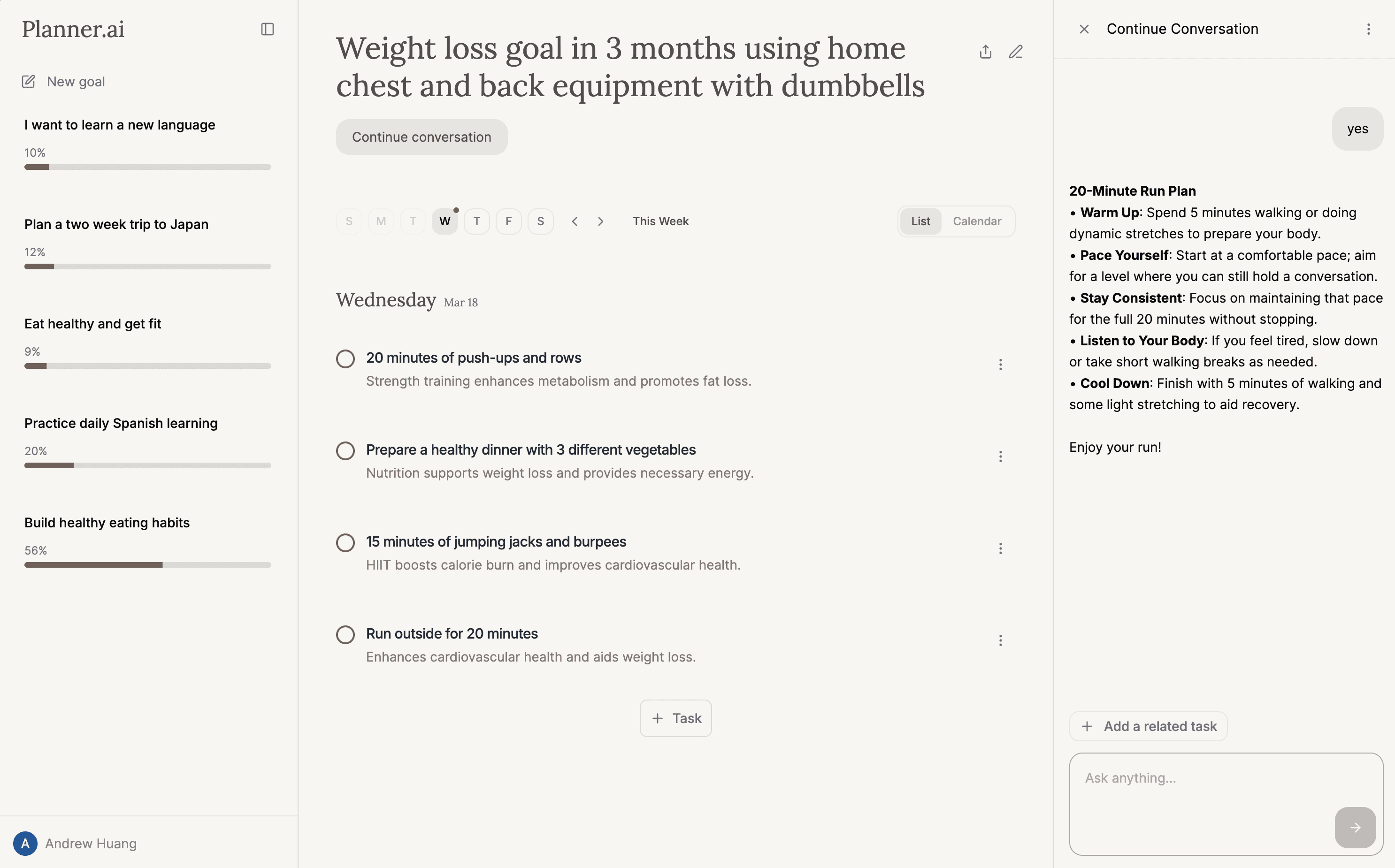
After the plan is created, users can continue the conversation in a sidebar and ask the AI to update or add tasks based on what they want.
Initially, each task had its own AI chat for updating the plan. I later streamlined that into a single sidebar so the AI could understand the full action plan, not just one task. This made it easier for users to ask about broader goals and get updates that stayed aligned with the overall plan.
When users ask for a change, the system does not just reply in text. It generates a structured UI card showing the proposed task or update, then lets the user confirm it before the plan changes. That made the interaction feel more actionable and gave users a clear way to review AI-generated changes before accepting them.
This was one of the most interesting AI-native interaction patterns in the product. The AI was not just responding. It was helping users modify the plan in a way that stayed visible, editable, and aligned with their larger goal.
Designing with AI
Using AI to build fast still required product judgment.
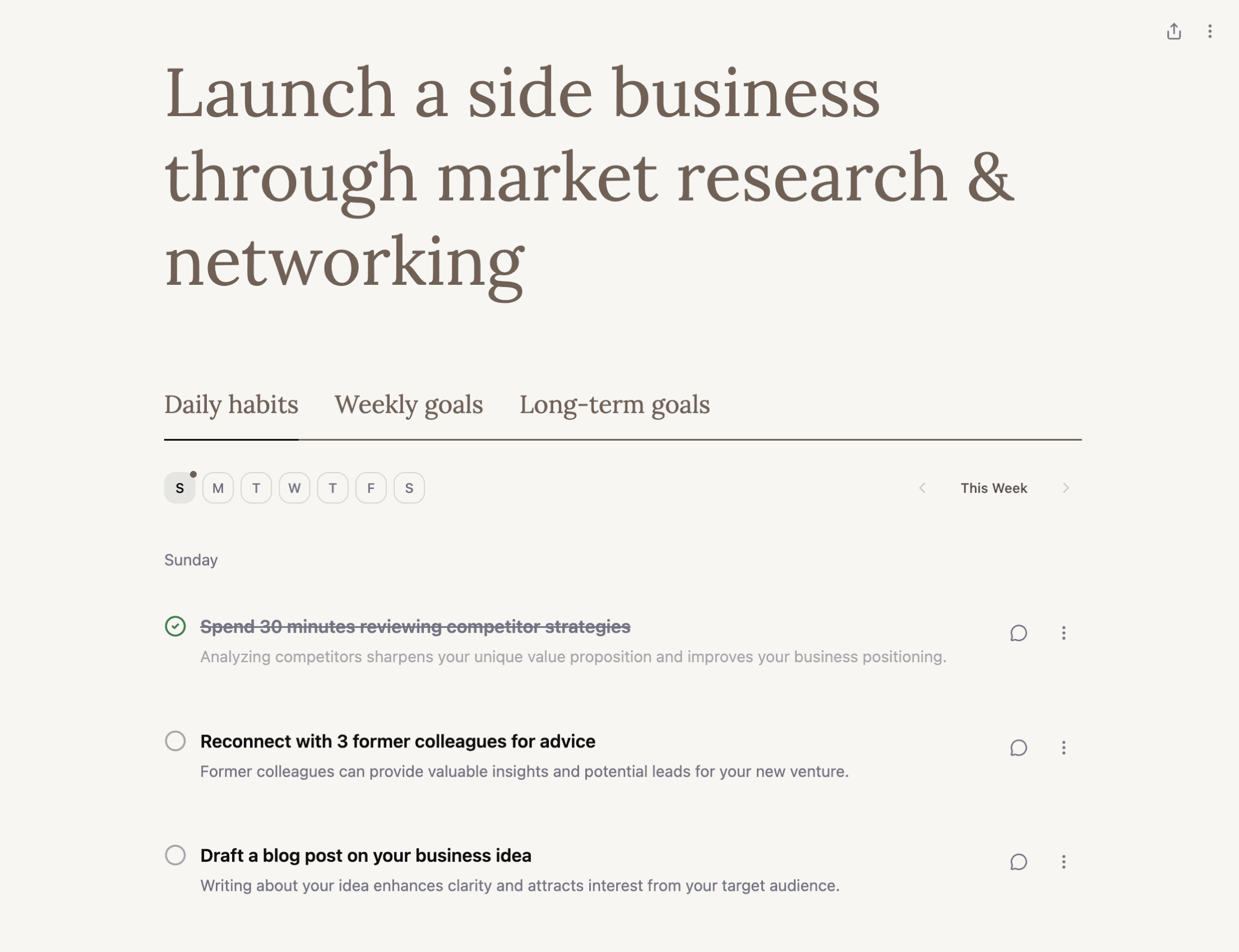
Working with AI tools made it possible to build Planner AI quickly, but it also introduced a new design challenge: the system often generated structure, styling, and content decisions I would not have made myself. Early versions included extra planning layers, visual treatments, and patterns that looked comprehensive on the surface but were not actually useful to users.
That forced me to be more explicit about design judgment. Instead of accepting AI output as a solution, I had to evaluate whether each generated element was something I would intentionally choose for the product. Cutting weekly and long-term sections made the product both clearer and faster.
This became an important part of the process: not just asking AI to make, but deciding what was worth keeping.
Before
After
Building and shipping
I owned the product end to end.
Planner AI was a true 0-to-1 project. I owned product strategy, UX/UI, prompt design, prototyping, AI-assisted build, full-stack implementation, launch, and user testing.
This project also pushed me beyond traditional design work. I had to figure out Google sign-in, calendar sync, saving plans to accounts, shareable links, OpenAI integration, and AI-driven task updates. I iterated more than 2,800 times in the course of three months while building the product and learning how to turn design intent into a functioning system.
That speed mattered, but the bigger lesson was that building let me test product ideas much faster than static mockups alone.
Launch and learning
The strongest signal was not that AI could generate a plan. It was that users wanted to follow it.
Planner AI is now live as a web app. It has generated 10+ signups and 7.3K+ launch-related social impressions around the idea of using AI to help people reach their goals.
The most important learning was that users responded best when AI felt like a coach that understands their situation, not a generator that produces generic advice. The more the system understood preferences and constraints, the more useful the plan became.